OpenProject Sync

Synchronize the work packages of an OpenProject project with the tasks of an Odoo project in Odoo 19.0: subjects, descriptions, types, statuses, assignees, comments and images, in one or both directions.
Odoo version
This is the documentation for Odoo 19.0. Use the version selector at the top to read the documentation of another Odoo version: each version has its own release of the addon, and some screens differ between them.
Project tasks
OpenProject Sync synchronizes OpenProject work packages with the tasks of an Odoo project (Project app), on Odoo Community and Enterprise. It does not synchronize time entries, versions or helpdesk tickets.
Why
The planning lives in OpenProject: work packages, Gantt charts, the people who build things. The rest of the company works in Odoo: customers, sales, invoices. Without a link someone copies work packages into tasks by hand, and the two drift apart: a task says In progress while the work package was closed last week, and the customer's screenshot is in the Odoo chatter but not on the work package.
OpenProject Sync links one OpenProject project to one Odoo project:
- a work package becomes a task, and a new task becomes a work package;
- the type (Task, Bug, Milestone) becomes a tag, and a status with the name of a stage (In progress, Developed) moves the task to that stage, and the other way around;
- assignees are matched on their OpenProject login or e-mail address; the finish date becomes the deadline;
- a closed work package marks the task as done, and a task marked done closes the work package;
- comments become log notes in the chatter, and messages from the chatter become comments;
- images in descriptions and comments are copied both ways, so nobody needs access to the other side to see them.
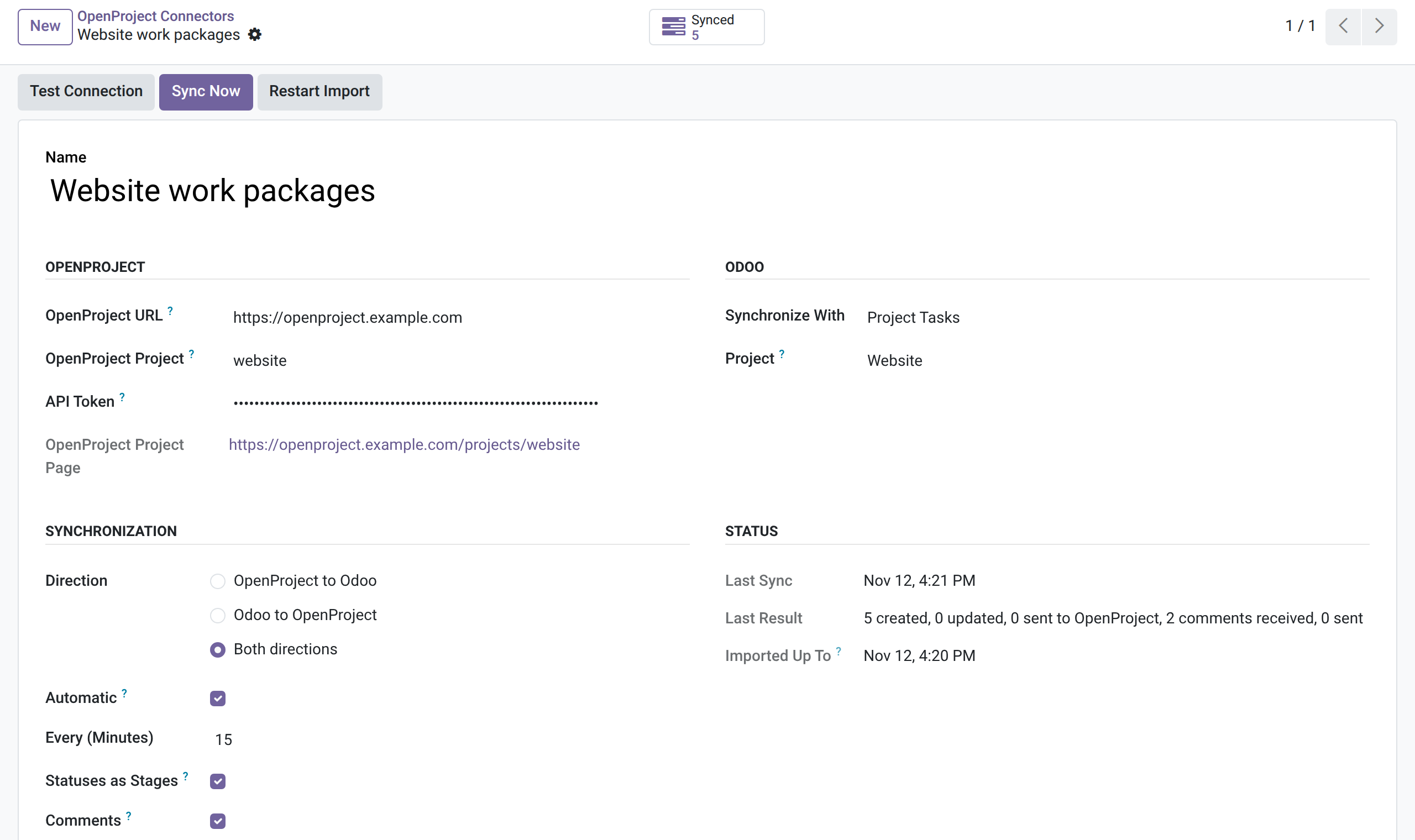
It works with OpenProject 16 and 17, on OpenProject cloud and on a server of your own. Changes arrive on a schedule (every 15 minutes by default), or within minutes with an OpenProject webhook.
A connector, ready to sync:
How it fits together
flowchart TB
    O[("OpenProject project website")] -- "REST API: work packages, comments, attachments" --> C["Odoo: OpenProject connector"]
    C -- "create and update work packages, post comments" --> O
    O -. "webhook: work package or comment changed" .-> C
    C <--> T["Tasks of the Odoo project Website"]
Where to go next
Start with Installation and Configuration, which covers the API token in OpenProject and the connector in Odoo. Usage explains exactly what is synchronized and what wins when both sides change. When something does not work, Troubleshooting explains each error message.


Developed and maintained by MVdW-Software. More in About.